Preserving nature’s beauty through taxidermy is a skilled art, but capturing its essence photographically requires a different expertise. This guide delves into twelve effective techniques to elevate your taxidermy photography, transforming your specimens into captivating works of art. From mastering studio lighting and composition to employing essential post-processing skills, we’ll explore the techniques that will make your work truly shine.
We’ll cover a range of topics, from setting up your studio with optimal lighting – including both artificial and natural light sources – to mastering composition techniques like the rule of thirds and selecting the perfect background to complement your specimens. Furthermore, we will explore the art of post-processing, refining your images to highlight the details and textures of your taxidermy work while maintaining a natural and realistic look.
Studio Setup and Lighting for Taxidermy Photography

Effective lighting is paramount in taxidermy photography, significantly impacting the final image’s quality and the specimen’s presentation. The choice of lighting setup depends on factors such as the size and type of specimen, desired aesthetic, and available budget. Careful consideration of light sources, modifiers, and background will ensure your work is showcased in the best possible light.
Three Studio Lighting Setups for Taxidermy Photography
Three distinct studio lighting setups can effectively illuminate taxidermy specimens, each offering unique advantages and disadvantages. These setups range in complexity and cost, allowing for flexibility based on individual needs and resources.
| Setup | Light Source | Modifiers | Cost | Complexity | Effect on Final Image |
|---|---|---|---|---|---|
| Single Softbox Setup | One continuous light source (e.g., LED panel) | Large softbox to diffuse light, creating soft shadows | Low to Moderate | Low | Produces even, flattering lighting, minimizing harsh shadows. Ideal for showcasing overall form and texture. Suitable for smaller specimens. |
| Two-Light Setup with Fill | Two continuous light sources (e.g., LED panels) | Two softboxes or umbrellas, one acting as the key light and the other as a fill light | Moderate | Moderate | Creates more dimensional lighting with controlled highlights and shadows. Allows for shaping the light and adding depth to the image. Works well for medium-sized specimens. |
| Three-Point Lighting Setup | Three continuous light sources (e.g., LED panels or strobes) | Softboxes, umbrellas, or grids for shaping the light; potentially reflectors | High | High | Offers the most control over lighting, enabling the photographer to create dramatic effects and highlight specific features. Suitable for large and detailed specimens, allowing for precise control of highlights and shadows. |
Using Natural Light in Taxidermy Photography
Natural light can provide a beautiful, soft illumination for taxidermy photography, particularly for outdoor shots. However, controlling its intensity and direction is crucial to avoid harsh shadows and uneven lighting. The best times to shoot outdoors are during the golden hours—sunrise and sunset—when the light is softer and warmer. Midday sun should generally be avoided due to its harshness.
- Shoot during the golden hours (sunrise and sunset) for soft, warm light.
- Use shade to diffuse harsh sunlight and minimize shadows.
- Position the specimen so the light falls evenly on it, avoiding harsh backlighting.
- Use a reflector to fill in shadows and brighten darker areas.
- Consider using a diffuser to soften the light further.
- Pay attention to the background and choose a location that complements the specimen.
Studio Setup for Photographing Small Birds
Photographing small birds requires a setup that emphasizes detail and minimizes distractions. A macro lens is essential for capturing fine feathers and delicate features. A clean, uncluttered background is crucial to prevent visual clutter and keep the focus on the bird.
A dedicated macro setup might include: a macro lens (e.g., 100mm or higher magnification), a ring flash or twin flash setup for even lighting, a tripod for stability, and a plain background (e.g., a seamless paper backdrop). Precise focusing is paramount, and using a shallow depth of field can help isolate the bird from the background and create a pleasing bokeh effect. Consider using a small, controlled environment such as a small box or enclosure to manage the bird’s position and minimize movement during the shoot. A low aperture (e.g., f/2.8 to f/5.6) will enhance the background blur, drawing the viewer’s eye to the bird.
Composition and Background Choices for Striking Images

Effective composition and background selection are crucial for creating compelling taxidermy photographs. The right background can enhance the subject, creating a mood and directing the viewer’s eye, while poor choices can distract and detract from the piece’s beauty. Similarly, skillful composition techniques can elevate an ordinary image into a truly striking piece of art.
Background Options for Taxidermy Photography
Choosing the right background significantly impacts the overall feel and focus of your taxidermy photograph. Three common options—plain, natural, and themed—each offer unique advantages and drawbacks. The choice depends heavily on the piece itself and the desired aesthetic.
| Background Type | Description | Mood/Focus | Example |
|---|---|---|---|
| Plain | A simple, untextured background, typically a solid color (e.g., grey, white, black). | Clean, modern, emphasizes the taxidermy subject’s details and texture. Focus is solely on the animal. | A pristine white backdrop allows the intricate feather details of a meticulously preserved bird to stand out sharply. The lack of distraction showcases the craftsmanship. |
| Natural | Mimics the animal’s natural habitat using elements like wood, leaves, rocks, or branches. | Evokes a sense of realism and connection to nature. Focus is on the animal within its environment. | A mounted deer head displayed against a backdrop of realistically rendered forest foliage, creating a sense of immersion in its natural surroundings. |
| Themed | A more stylized background that reflects a specific theme or narrative, potentially incorporating props or other elements. | Creates a story or evokes a particular emotion. Focus is on the narrative being told, with the taxidermy as a key element. | A meticulously preserved fox, posed mid-leap, against a backdrop of a moonlit snowy landscape, telling a story of winter hunting. |
Composition Techniques for Enhanced Taxidermy Photos
Strategic composition significantly improves the visual appeal of your photographs. Employing these techniques ensures the viewer’s gaze is guided effectively, creating a more engaging and memorable image.
The following composition techniques can be effectively utilized to create impactful taxidermy photographs:
- Rule of Thirds: Instead of centering the subject, place it at one of the four intersection points created by dividing the frame into thirds both horizontally and vertically. This creates a more dynamic and visually appealing composition. Example: Positioning a mounted bird slightly off-center, towards the upper-right third, draws the eye naturally to the subject while maintaining visual balance.
- Leading Lines: Use natural lines (branches, rivers, fences) to draw the viewer’s eye towards the main subject. Example: Photographing a mounted fish against a background of gently curving river rocks, creating a natural path for the viewer’s eye to follow towards the central fish.
- Symmetry and Patterns: Employing symmetrical elements or repeating patterns can add visual interest and create a sense of balance. Example: A photograph of a pair of similarly mounted butterflies, positioned symmetrically on a plain background, highlights their mirror-image beauty.
- Negative Space: Deliberately leaving empty space around the subject can highlight it and create a feeling of calm or spaciousness. Example: Photographing a small, intricately detailed insect against a large, plain background emphasizing its delicacy and detail.
- Framing: Use natural or man-made elements (branches, archways) to frame the subject, adding depth and focus. Example: A photograph of a mounted bird perched on a branch, with the branch itself forming a natural frame around the bird, drawing attention to the subject and adding depth to the composition.
Selecting and Preparing a Background for a Taxidermy Photoshoot
Careful consideration of color, texture, and scale is crucial when selecting and preparing a background. The goal is to complement the taxidermy piece, not compete with it.
- Color Selection: Choose colors that complement the animal’s natural coloration or the overall mood you want to convey. Consider the color wheel and avoid colors that clash harshly with the subject. For instance, warm browns and greens might suit a deer mount, while cooler blues and greys might be better for a bird of prey.
- Texture Consideration: The texture of the background should be appropriate for the subject and the overall aesthetic. A smooth, plain background works well for highlighting intricate details, while a more textured background (like wood or fabric) can add visual interest and depth, but must be carefully considered to avoid distracting from the main subject.
- Scale and Proportion: Ensure the background is appropriately scaled to the size of the taxidermy piece. A large, overwhelming background can dwarf the subject, while a small, insignificant background may not provide enough visual support. The background should provide context and visual balance, not dominate the image.
- Background Preparation: Ensure the background is clean, wrinkle-free, and properly lit. Any imperfections will be visible in the final photograph. For natural backgrounds, carefully arrange elements to create a visually pleasing and cohesive scene. For plain backgrounds, use a backdrop stand or other support to ensure a smooth, unwrinkled surface.
- Testing and Adjustment: Before the main photoshoot, take test shots to evaluate the background’s effectiveness. Adjust lighting, composition, and background elements as needed to achieve the desired result. Experiment with different angles and perspectives to find the most flattering and visually compelling composition.
Post-Processing Techniques for Enhancing Taxidermy Photographs
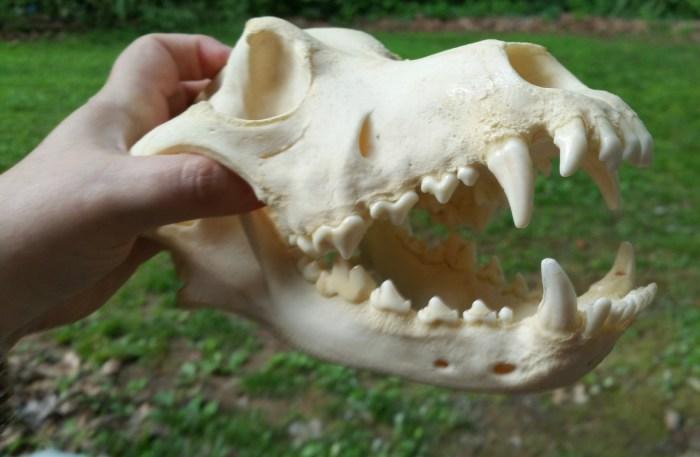
Post-processing is crucial for transforming a good taxidermy photograph into a truly exceptional one. It allows you to refine details, correct color imbalances, and ultimately showcase the specimen in the best possible light. This process involves a careful balance between enhancing the image’s natural qualities and avoiding artificial or unrealistic results. The key is subtle adjustments that improve the overall impact without sacrificing realism.
Effective post-processing workflows leverage a combination of software and techniques to achieve optimal results. The specific approach will vary depending on the image’s initial quality and the desired final aesthetic, but a common thread is a careful, layered approach to editing.
Workflows for Enhancing Taxidermy Images
Three distinct post-processing workflows can be employed to enhance taxidermy photographs, each offering a different approach to sharpening, color correction, and noise reduction. The choice of workflow often depends on personal preference, the software available, and the specific characteristics of the image.
These workflows generally involve a sequence of non-destructive edits, allowing for adjustments and revisions throughout the process. This is particularly important in taxidermy photography where preserving the natural look of the specimen is paramount.
- Workflow 1: Fast and Efficient Workflow using Adobe Lightroom Classic. This workflow prioritizes speed and efficiency, ideal for high-volume processing. It leverages Lightroom’s powerful adjustment tools for quick global adjustments.
- Sharpening: Utilize Lightroom’s sharpening tools, adjusting the amount, radius, and detail sliders to achieve a crisp image without introducing halos or artifacts. Pay close attention to the fur or feathers, adjusting the masking to avoid over-sharpening these delicate areas.
- Color Correction: Employ the White Balance tool to correct any color casts. Fine-tune the color grading using the HSL panel for subtle adjustments to individual color channels. A slight increase in saturation can enhance vibrancy without making the colors look unnatural.
- Noise Reduction: Lightroom’s noise reduction tools effectively minimize noise without sacrificing detail. Adjust the luminance and color noise reduction sliders carefully, previewing the results at 100% zoom to avoid over-smoothing.
- Workflow 2: Detailed Refinement with Adobe Photoshop. This workflow is suitable for images requiring more meticulous attention to detail. Photoshop’s extensive toolset allows for precise adjustments and retouching.
- Sharpening: Use the Unsharp Mask filter for controlled sharpening, adjusting the amount, radius, and threshold parameters. Employ the High Pass filter for subtle sharpening while preserving detail in textured areas like fur.
- Color Correction: Utilize adjustment layers (Curves, Levels, Color Balance) for precise color adjustments. Masks can be used to target specific areas requiring correction. Employ the selective color adjustment tool to fine tune individual colors.
- Noise Reduction: Photoshop offers various noise reduction filters (e.g., Noise Reduction filter, Neat Image plugin). Experiment with different filters to find the best balance between noise reduction and detail preservation.
- Workflow 3: A Hybrid Approach Combining Lightroom and Photoshop. This workflow combines the efficiency of Lightroom for global adjustments with the precision of Photoshop for targeted retouching. Lightroom is used for initial adjustments, while Photoshop handles detailed retouching and sharpening.
- Sharpening: Initial sharpening in Lightroom, followed by further refinement using Photoshop’s Unsharp Mask or High Pass filter for specific areas.
- Color Correction: Global color correction in Lightroom, with targeted adjustments in Photoshop using adjustment layers and masks.
- Noise Reduction: Primarily in Lightroom, with supplemental noise reduction in Photoshop for particularly noisy areas.
Retouching Minor Imperfections
Retouching minor imperfections, such as dust spots or blemishes, requires a delicate touch to maintain the natural appearance of the specimen. Over-retouching can lead to an unnatural and artificial look, so subtlety is key.
The goal is to seamlessly blend imperfections into the surrounding texture, creating a realistic and visually appealing result. The specific tools and techniques used will depend on the nature and severity of the imperfection.
Using Cloning and Healing Tools
The Clone Stamp tool and Healing Brush tool in Photoshop are invaluable for retouching minor imperfections. The Clone Stamp tool copies pixels from one area to another, effectively covering blemishes. The Healing Brush tool intelligently blends the copied pixels with the surrounding area, providing a more natural result.
For example, to remove a small dust spot on a bird’s feather, select the Healing Brush tool, choose a sample size slightly larger than the spot, and gently brush over the imperfection. Photoshop will automatically blend the copied pixels with the surrounding feather texture, seamlessly removing the spot. For larger imperfections or more complex areas, the Clone Stamp tool might be more effective, requiring careful selection of the source area to match textures and colors.
Remember to work at a high magnification (100% zoom or higher) to ensure precise retouching and to avoid noticeable artifacts. Use low opacity settings (around 20-30%) for more control and gradual blending. Multiple, subtle passes are often more effective than a single, heavy application of the tool.
Epilogue

Mastering taxidermy photography is a journey of learning and refinement. By understanding the interplay of lighting, composition, and post-processing, you can elevate your work from simple documentation to breathtaking artistry. This guide provides a solid foundation for capturing the intricate details and inherent beauty of your taxidermy creations, allowing you to share your passion and skill with the world. Experiment, refine your techniques, and continue to explore the endless possibilities in showcasing your unique artistry.